Wired vs Wireless Intercoms: What Changes in Real Installations
Read Time:4 Minute, 23 Second
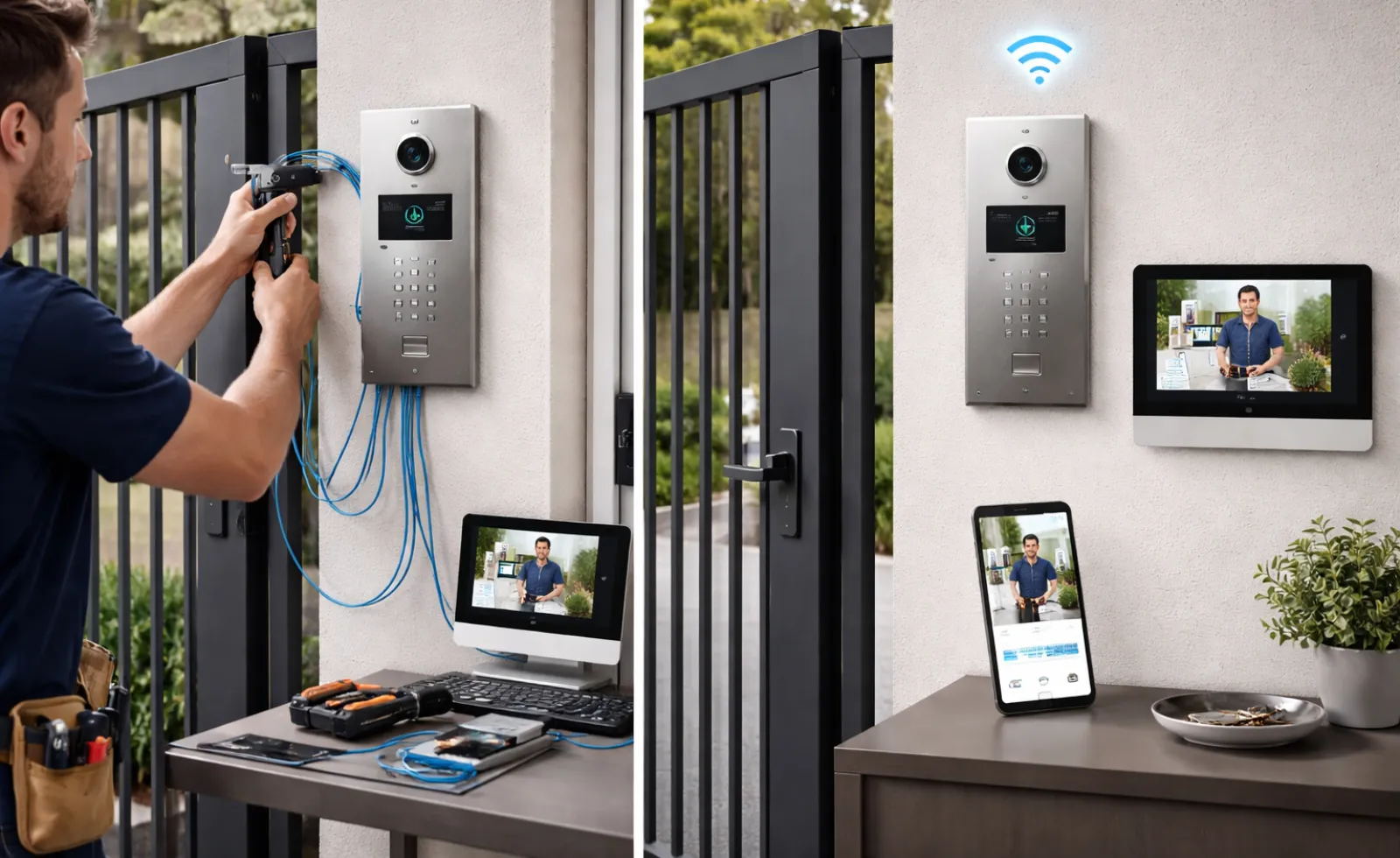
Intercoms look simple from the outside: a panel at the entry, a way to talk, and sometimes a button to unlock a door or gate. The difference between a smooth everyday experience and an intercom everyone complains about usually comes down to the installation realities: how the building is laid out, what the walls are made of, where power can be taken from, and how many points of entry need coverage.
In practice, intercom system installation decisions tend to start with two questions: can you reliably run cable to where you need it, and if not, can a wireless link stay stable through the materials and interference in the environment? The “best” option is the one that keeps audio clear and access consistent, day after day, without constant resets or workarounds.
Reliability and signal stability: the everyday difference
Wired intercoms generally win on predictability. Once cabling is correctly run and terminated, performance is steady because the connection is not competing with other wireless devices or being weakened by building materials.
Wireless systems can be very reliable too, but they are more sensitive to conditions that are easy to overlook during a quick walkthrough:
- Dense masonry, concrete, and metal framing that attenuate signals
- Long corridors, stairwells, and lift cores that create dead zones
- Crowded radio environments near Wi-Fi routers, security devices, or neighboring buildings
- Weather exposure at gates or perimeter entries that affects external units
If you need consistent performance for a high-traffic entry, wired often reduces variability. If your environment is flexible and you can validate signal quality at the exact mounting points, wireless can be an excellent fit.
Building layout: cabling routes versus “signal paths”
Many projects choose wireless because “there’s no way to cable it,” but sometimes the route exists and just needs planning. Conversely, some sites look easy to cable until you factor in heritage finishes, fire-rated penetrations, or multiple tenancies.
Wired installs usually depend on:
- Access to ceiling cavities, risers, conduits, or service corridors
- Permission to penetrate walls and maintain fire stopping
- The ability to protect cable from physical damage and moisture
- Keeping cable runs within reasonable distance for the chosen technology
Wireless installs depend on:
- Line-of-sight or near line-of-sight pathways through the building
- Mounting points that avoid shielding materials
- Stable locations for any repeaters or network gear
- Coverage that remains adequate if the environment changes (new equipment, new Wi-Fi, renovations)
A good rule is to plan the path your connection will take, whether that path is copper in a conduit or radio through a structure.
Power and networking: where systems quietly succeed or fail
Power is often the limiting factor, especially at gates, perimeter walls, or older foyers.
Wired intercoms may use dedicated low-voltage power supplies, power over Ethernet (PoE), or existing building power with appropriate conversion. That can simplify long-term stability, but it increases up-front planning.
Wireless intercoms may still need power at the entry station, even if communication is wireless. Battery-powered options reduce cabling, but introduce new routines and failure modes: charging cycles, battery degradation, and unexpected downtime during heavy use or hot weather.
If your intercom includes video, app connectivity, or access logs, networking becomes just as important as power. A strong installation treats the network as part of the system, not an afterthought.
Audio and video quality: what changes with distance and interference
For audio-only intercoms, minor dropouts can be tolerable, though still annoying. For video intercoms, instability can make the system feel unreliable even if it “technically works.”
Wired systems tend to maintain quality more consistently over distance. Wireless systems can deliver excellent video, but quality depends on bandwidth and interference conditions at the mounting points, not just near the router.
If identifying visitors matters, plan for worst-case conditions: nighttime lighting, rain on the lens, reflective backgrounds, and the distance from face to camera. Video quality is a combination of placement and connection, not a spec on a box.
Maintenance and scalability: think beyond day one
Intercoms often outlive other small building tech because they become part of habit. That makes maintenance and future expansion worth considering early.
Wired systems can be easier to troubleshoot because faults are often localized: a cable issue, a termination issue, a power issue. Wireless issues can be more intermittent: interference, router changes, firmware updates, or devices drifting out of coverage.
For scalability, ask how the system handles:
- Additional entry points
- More users or handsets
- Integration with locks, gates, or access control
- Replacement parts and compatibility over time
A system that can grow without a full replacement is usually the one that was installed with structure in mind.
Choosing between wired and wireless with a simple decision lens
A practical decision approach looks like this:
- Choose wired when the entry is high-traffic, reliability is critical, video performance must be consistent, or cabling routes are available.
- Choose wireless when cabling would be disruptive or prohibitively expensive, the site layout supports stable coverage, and you can validate performance at the final mounting points.
Neither choice is automatically “better.” A well-installed wireless system beats a poorly routed wired one every time, and a well-planned wired system can remove the uncertainty that frustrates users over the long term.

Happy
0 %

Sad
0 %

Excited
0 %

Sleepy
0 %

Angry
0 %

Surprise
0 %
 0
0
 0
0