Does Instagram Have Profile Views? Everything You Need to Know
Read Time:4 Minute, 46 Second
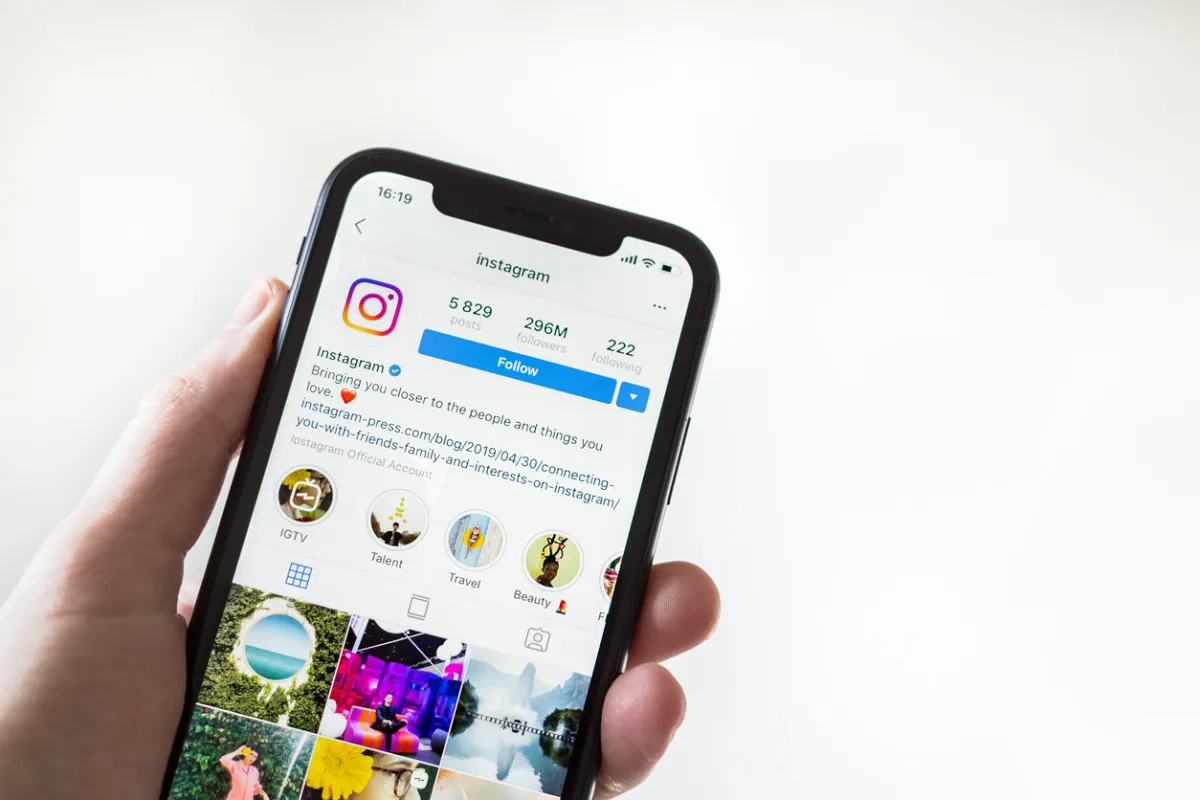
One of Instagram users’ most frequently asked questions is: Does Instagram have profile views? The curiosity creeps in after you post a story, update your profile, or follow someone new—“Did they check out my profile?” Whether you’re a casual scroller or a business owner looking to track engagement, the desire to know who’s been viewing your profile is entirely understandable.
In this guide, we’ll show whether Instagram offers this feature natively, what third-party options exist, how to make the most of Instagram’s analytics tools, and what to avoid. Let’s dive in.
Does Instagram Show Who Viewed Your Profile?
Instagram does not allow users to see who viewed their profile. That’s the straightforward answer. Unlike LinkedIn, which shows who has visited your profile (if they haven’t set themselves to private), Instagram values user privacy more strictly in this context.
That means when someone views your feed, scrolls through your photos, or even checks out your bio, you will not be notified, and you won’t be able to find out who they were—at least not through Instagram’s official features.
What Instagram Does Show You
While you can’t see who visited your profile, Instagram does provide some insights into your engagement:
- Story Views – You can see who viewed your Instagram Stories while they’re still live (within 24 hours).
- Reel Insights – Instagram shows you how many plays, likes, comments, and shares your Reels get, but not who watched them.
- Professional Dashboard – If you switch to a business or creator account, you get access to data like profile visits, reach, impressions, and demographics.
While these features help track engagement, they do not tell the exact users visiting your profile.
The Truth About Instagram Profile Viewers
This leads many users to search for tools that promise to tell you who’s viewed your profile—commonly known as Instagram profile viewer. These tools are widely promoted online, often claiming to reveal hidden visitors or profile stalkers.
However, most of these apps are unreliable and pose serious security concerns. Many require you to log in with your Instagram credentials, which can lead to account hacking or data misuse. Some generate fake names using random lists or recent interactions to appear convincing.
That said, if you’re exploring advanced analytics tools or third-party services, ensure they are trustworthy and secure and don’t violate Instagram’s terms of use.
Why Instagram Avoids Showing Profile Views
Instagram’s decision to keep profile views private is intentional. Here’s why:
- User Privacy First: Instagram wants users to browse freely without the fear of being tracked.
- Encouraging Interaction: Instead of silent viewing, Instagram promotes engagement through likes, comments, shares, and saves.
- Better User Experience: Showing profile views would change how people explore content. It could discourage discovery and reduce platform activity.
In essence, Instagram is designed for open interaction, not silent surveillance.
Workarounds: What You Can Track
Even though direct profile views are hidden, there are still a few ways to track interest in your content:
- Instagram Stories: Post stories regularly and track who consistently watches them. This is often a subtle hint of who’s keeping tabs on your profile.
- Engagement Patterns: Pay attention to who regularly likes, comments, or shares your posts.
- Insights and Profile Visits: For business accounts, Instagram provides data on how many people viewed their profiles, clicked their links, or visited specific posts or stories.
This data will not yield specific names, but it is helpful for measuring your profile’s overall impact.
Making Use of Third-Party Tools (With Caution)
You might want to format the data for clarity if you’re managing data outside Instagram—such as survey results, content audits, or even DMs exported for analysis. A great tool for this is a plain text converter, which helps you strip unnecessary formatting and prepare your content for deeper analysis or reports.
Whether you’re tracking engagement manually or trying to repurpose content across platforms, this tool can simplify your workflow without overcomplicating the process.
Innovative Alternatives to Obsessing Over Profile Views
Let’s be honest—knowing who views your profile would feel great. But since that’s not a built-in feature (and probably won’t be anytime soon), here are better ways to track your growth and improve your presence:
- Switch to a Business or Creator Profile for detailed insights.
- Use Highlights to showcase your best content and direct new visitors.
- Monitor Comments & Shares to see who’s engaging with your content meaningfully.
- Respond to DMs – If someone’s viewing your content regularly, they may reach out eventually.
- Use Link Trackers in your bio to measure clicks and behaviour.
These methods won’t give you names, but they’ll tell you if you’re reaching the right audience—and if they’re coming back.
Final Thoughts: Value Over Vanity
So, circling back to our core question: Does Instagram have profile views? No, not in the way most people expect. Instagram doesn’t offer a native feature that shows you who visited your profile. And while tools like an Instagram profile viewer might seem like a tempting shortcut, most are unreliable or risky.
Instead of chasing hidden data, focus on building content that resonates. Focus on the metrics—engagement, growth, shares, and saves. If you use third-party tools to help you organise your strategy, ensure they’re trustworthy and add value. For instance, using a plain text converter to organize data for reporting or email lists can save work hours without compromising security.
Your time is better spent creating, connecting, and growing—because the objective measure of success isn’t who looks at your profile silently but who stays, engages, and follows your journey.

Happy
0 %

Sad
0 %

Excited
0 %

Sleepy
0 %

Angry
0 %

Surprise
100 %
 0
0
 1
1